Stop losing business to phone tag. Discover how appointment automation boosts revenue, slashes no-shows by 60%, and saves 10+ hours a week. A complete guide for modern businesses.

# Appointment Automation: The Ultimate Guide for Business & Healthcare (2026)
Appointment automation is no longer a luxury—it's the operational backbone of modern service businesses. In a world where 67% of customers prefer booking online and 40% of appointments are booked after business hours, relying on manual phone scheduling is a silent revenue killer.
Whether you run a hospital, a specialized clinic, or a high-demand service business, this guide will explain exactly how automated booking works, why it's essential for scaling, and how to implement it without disrupting your operations.
What Is Appointment Automation?
Appointment automation is the use of software to handle scheduling tasks without human intervention. It connects your calendar availability to a public-facing booking interface, allowing clients to self-schedule, reschedule, or cancel appointments in real-time.
But it goes beyond just "booking." A robust appointment automation system handles the entire lifecycle of a visit:
- **Intake:** Collecting customer details and requirements upfront.
- **Scheduling:** finding real-time slots that match both parties' availability.
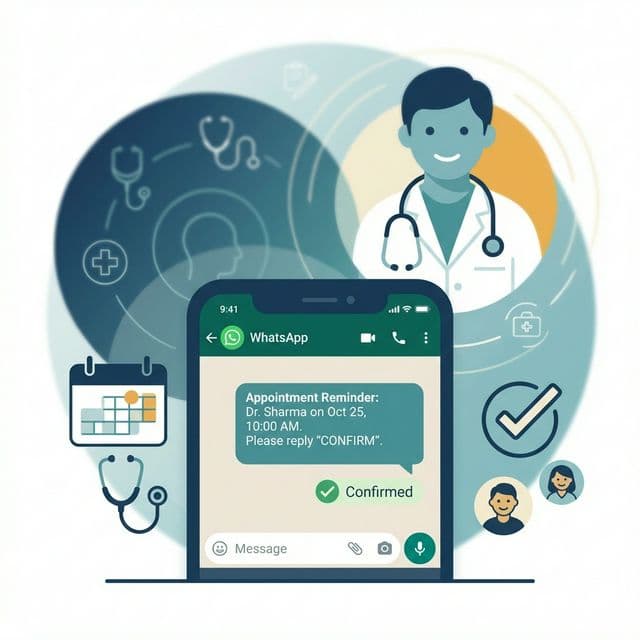
- **Reminders:** Sending automated SMS or WhatsApp notifications to reduce no-shows.
- **Follow-up:** Triggering post-appointment feedback or re-booking prompts.
In short, it replaces the "phone tag" game with a seamless, instant digital experience.
How Appointment Automation Works: A Step-by-Step Flow
To understand the power of automation, let’s look at the workflow from the customer’s perspective compared to the backend logic.
- **Discovery & Entry**: A client clicks "Book Now" on your website, social media profile, or WhatsApp link.
- **Real-Time Sync**: The system checks your synced calendars (Google, Outlook, EMR) instantly. It only displays slots that are truly free, factoring in buffer times and staff schedules.
- **Self-Selection**: The client selects their preferred time and service type.
- **Data Capture & Confirmation**: The client enters their details. The system instantly creates the event in your calendar and sends a confirmation message to both parties.
- **Workflow Triggers**: This action triggers a sequence:
- **Immediately:** Confirmation email/WhatsApp sent.
- **24 Hours Before:** Reminder sent to reduce no-show risk.
- **Post-Appointment:** "Thank you" message or feedback request sent.
Key Features of Appointment Automation Systems
When evaluating software, look for these non-negotiable features that drive efficiency:
- **24/7 Self-Scheduling:** Your "receptionist" never sleeps. Capture bookings at 11 PM when your competitors are closed.
- **Multi-Channel Notifications:** specific support for **WhatsApp automation** (critical in markets like India), SMS, and Email.
- **Calendar Synchronization:** Two-way sync with Google Calendar, Outlook, and iCloud to prevent double-booking.
- **Smart Time Zones:** Automatically detects and adjusts for the client's time zone (vital for virtual consultations).
- **Payment Integration:** Collect deposits or full payments upfront via Stripe, Razorpay, or UPI to commit the customer.
- **Resource Management:** Assign specific rooms, equipment, or staff members to specific service types automatically.
Appointment Automation for Healthcare: Clinics & Hospitals
For healthcare providers, automation isn't just about convenience; it's about patient care and operational triage.
reducing Administrative Burnout
Front-desk staff spend up to 60% of their time on phone calls. Automating appointments frees them to focus on in-person patient experience and complex triage tasks that actually require human empathy.
EMR Integration
Modern automation tools integrate with Electronic Medical Records (EMR). When a patient books a "Follow-up," the system can automatically link to their file, ensuring the doctor has the right context before the patient walks in.
Priority Scheduling
Advanced systems can distinguish between routine check-ups and urgent needs, routing emergencies to a dedicated line while letting routine vaccinations or consultations be booked automatically.
Benefits of Appointment Automation (ROI Focus)
Why invest? The return on investment is measurable and immediate.
- **Slash No-Show Rates by 40-60%**: Automated reminders are harder to ignore than a written card. A simple WhatsApp nudge 2 hours before the slot significantly improves attendance.
- **Increase Booking Volume by 20%**: By removing friction and being "open" 24/7, you capture impulse bookings and after-hours demand.
- **Save 10+ Hours Per Week**: Eliminate the "What time works for you?" email ping-pong.
- **Improve Cash Flow**: Upfront payments or deposits drastically reduce revenue loss from late cancellations.
Comparison: Automating Appointment vs. Manual Booking
| Feature | Manual Booking (Phone/Email) | Appointment Automation |
|---|---|---|
| **Response Time** | Minutes to Hours (callbacks needed) | Instant (Real-time) |
| **No-Show Rate** | High (20-30% industry avg) | Low (Significant reduction via reminders) |
| **Staff Cost** | High (Requires dedicated admin time) | Low (Software cost is fraction of salary) |
| **Human Error** | High (Double bookings, wrong info) | Near Zero (System-controlled slots) |
| **Customer Experience** | Frustrating (Hold times, phone tag) | Seamless (3 clicks to book) |
Real-World Examples
1. The Multi-Specialty Clinic
Scenario: A busy clinic in Mumbai with 5 doctors.
Problem: 40 calls/day, missed calls during lunch, high no-show rate.
Solution: Implemented WhatsApp-based appointment automation.
Result: 70% of routine appointments moved to WhatsApp. Staff stress reduced. No-show rate dropped from 25% to 8%.
2. The Legal Consultancy
Scenario: A solo corporate lawyer.
Problem: Spending 2 hours/day scheduling client calls via email.
Solution: Added a scheduling link to email signature and website.
Result: "Zero-touch" booking. Clients book paid consultations directly. Saved 10 hours/week, billable revenue increased.
How to Choose the Right Appointment Automation Software
Don't just pick the first tool you see. Evaluate based on your specific needs:
- **Ease of Use (Client Side):** If it takes more than 3 minutes to book, you've lost them. Test the mobile flow yourself.
- **Local Integrations:** Does it support the payment gateways and messaging apps your customers actually use (e.g., UPI and WhatsApp in India)?
- **Customization:** Can you set buffer times between meetings? Can you block off specific days easily?
- **Scalability:** Will it support multiple staff members or locations as you grow?
- **Security:** Is it HIPAA/GDPR warning compliant? (Crucial for healthcare).
Is Appointment Automation Worth It?
If you book more than 10 appointments a week, the valid answer is YES.
The cost of most automation software is trivial compared to the value of a single lost client or the cumulative cost of staff time spent acting as a human calendar. It is a decision that pays for itself in the first month through recovered time and saved revenue from no-shows.
Frequently Asked Questions (FAQ)
1. Will I lose the personal touch with my clients?
No. Automation handles the administrative busywork. This actually *improves* the personal touch because you (or your staff) can focus entirely on the client when they arrive, rather than answering phones in front of them.
2. Is appointment automation difficult to set up?
Most modern tools are plug-and-play. You connect your calendar, define your services/hours, and generate a link. Basic setup takes less than 30 minutes.
3. Does it work for complex services with variable durations?
Yes. You can define different service types (e.g., "Consultation - 30 mins", "Surgery - 2 hours") and the system will allocate slots accordingly.
4. Can I still accept phone bookings manually?
Absolutely. You or your staff can manually enter phone bookings into the same calendar, and the automation system will instantly see that slot as "busy" to prevent double bookings.
5. What happens if a client cancels?
The system automatically frees up the slot in real-time, making it available for someone else to book immediately. You can also set cancellation policies (e.g., "no refunds within 24 hours").
6. Is it secure for patient data?
Reputable platforms use encryption and comply with data protection laws. Always verify that the platform you choose is compliant with relevant regulations like HIPAA (USA) or local data privacy acts.
**Ready to modernize your booking process?**
>
Stop losing business to busy signals. Explore how **Ascle AI** can transform your appointment scheduling with seamless WhatsApp automation today.
Ascle AI Team
Ascle AI